Installing logicDCMS on a network
LogicDCMS is distributed by a ZIP-file.
Unzip this file in a folder named DCMS somewhere on your network drive.
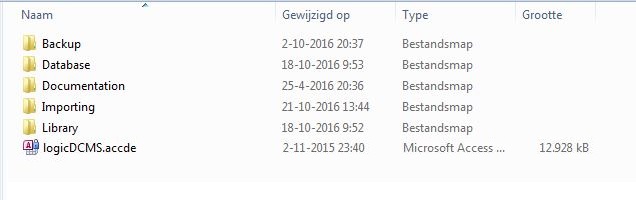
After unzipping the following subfolders will be created ( see picture below).
Ask your network administrator to provide read and write rights on this folder for all users, who will make use of logicDCMS.
Take care Microsoft Access is installed on your PC or laptop.
Start logicDCMS by clicking on the file logicDCMS.accde in the root folder.