Register documents
As already mentioned under Functional, three methods can be used, import from SDL (or VDL), DNRF or manually.
Import document numbers from a SDL (Supplier Document List ) or VDL (Vendor Document List)
This method is the best method after startup of a new project, but can be repeated at any time during the project. Prepare the SDL or VDL in Excel format.
Templates can be found in the subfolder Importing (importTemplateSDL.xlsx and importTemplateVDL.xlsx)
Navigate to Application Manager Menu -> Import from Excel -> Import Supplier Document List from Excel or ...
Application Manager Menu -> Import from Excel -> Import Vendor Document List from Excel
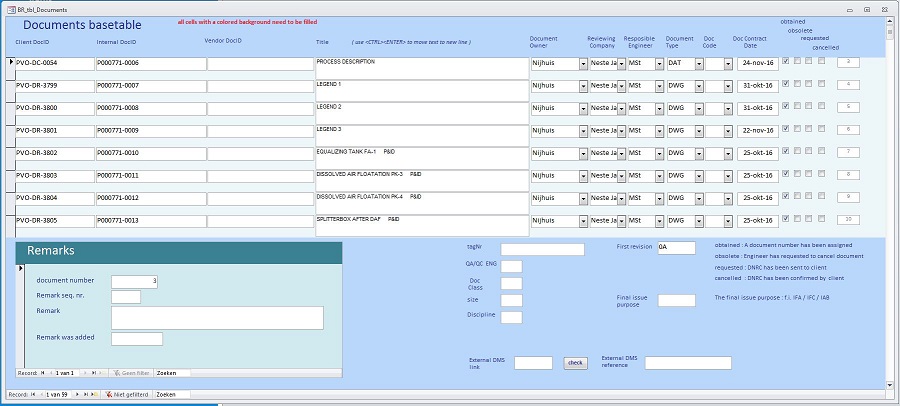
The SDL/VDL is imported and the results can be viewed here : Document Control menu -> Quick Access menu -> Maintain Documents
Import from received DNRF sheets
this option is useful in case of additional documents needed during the project.
The DNRF procedure is as follows:
- Fill in a DNRF form with the documents you need. The DNRF template can be found in the folder Library
- Send it to your client
- Wait for the client to return the form with assigned document numbers
- Put the received form in the DNRF folder on the network
- Scan the DNRF folder : Navigate to Document Control Menu -> Quick Access menu -> Scan DNRF maps + import in documents
The new documents will have been added to the documents table now.
Manually
Manual input is useful to change metadata related to a document.
Navigate to Document Control menu -> Quick Access menu -> Maintain Documents